We’ve been running our How to Prepare for the MTC webinars for several academic years now, supporting teachers in England as they get their Year 4 students ready for the Multiplication Tables Check.
Along the way, we’ve received some fantastic questions from teachers. To make things easier, we’ve rounded up the three most common ones (and answered them)!🤘


1. “How do I know if my students are MTC ready?”
Checking MTC Readiness
Here’s how you can check without waiting until the big day:
✅ Take part in the OUMTCs for a quick snapshot.
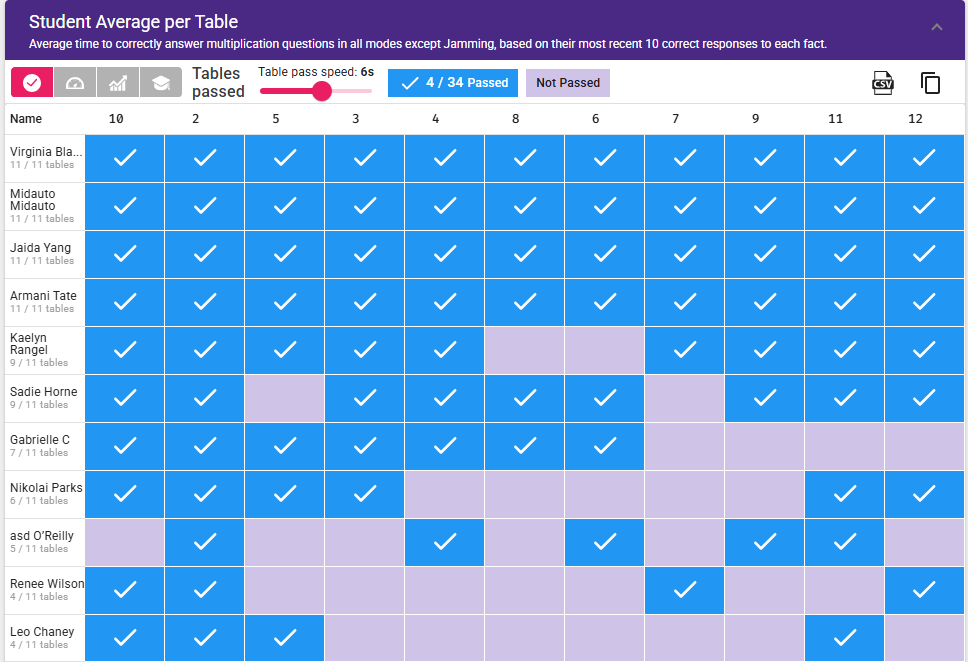
✅ Head to Stats > Class > Fluency > Student Average per table
✅ Move the slider to 6 seconds – this shows you who can answer which facts correctly within MTC speed across all game modes except Jamming.
This way you’ll know exactly who’s ready to rock and who might need a little extra rehearsal.
✅ Take part in the OUMTCs for a quick snapshot.
✅ Head to Stats > Class > Fluency > Student Average per table
✅ Move the slider to 6 seconds – this shows you who can answer which facts correctly within MTC speed across all game modes except Jamming.
This way you’ll know exactly who’s ready to rock and who might need a little extra rehearsal.
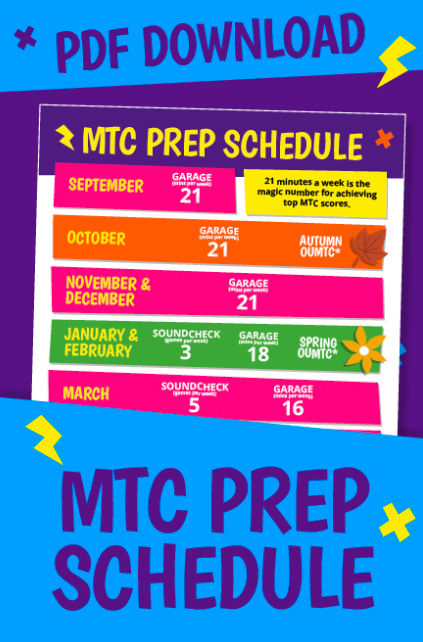
2. “How do I make ensure children stick to the MTC prep schedule?”
Making sure students follow the prep schedule
Use Sessions!
When a Session is live, it locks other game modes until students complete their required minutes in the set one.
👉 You’ll be able to see instantly who’s finished and who hasn’t.
📌Just a note: you’ll need the Sessions Bolt-on to use this feature.
When a Session is live, it locks other game modes until students complete their required minutes in the set one.
👉 You’ll be able to see instantly who’s finished and who hasn’t.
📌Just a note: you’ll need the Sessions Bolt-on to use this feature.
3. “Why aren’t my Year 4s showing in OUMTC setup?”
✔️ Go to Account > Classes > Tick the class > Update > Set year group
✔️ Double-check your year groups are correct – then your Year 4s will appear.
🔔 And don’t forget: if you ever need a hand, our team is always here at [email protected].
Good read? Share with your colleagues and friends below:
Facebook
Twitter
LinkedIn
WhatsApp