WELLBEING
SUPPORTING HEALTHY ONLINE HABITS
Giving schools control over how students use TTRS is built into everything we design. From the way students manage their time on the platform to the controls schools have over daily play, these features are designed to support purposeful, balanced use.
That’s why we created the Digital Wellbeing Hub – a single place where teachers can access the settings and features that support digital wellbeing, from activity limits to privacy controls.
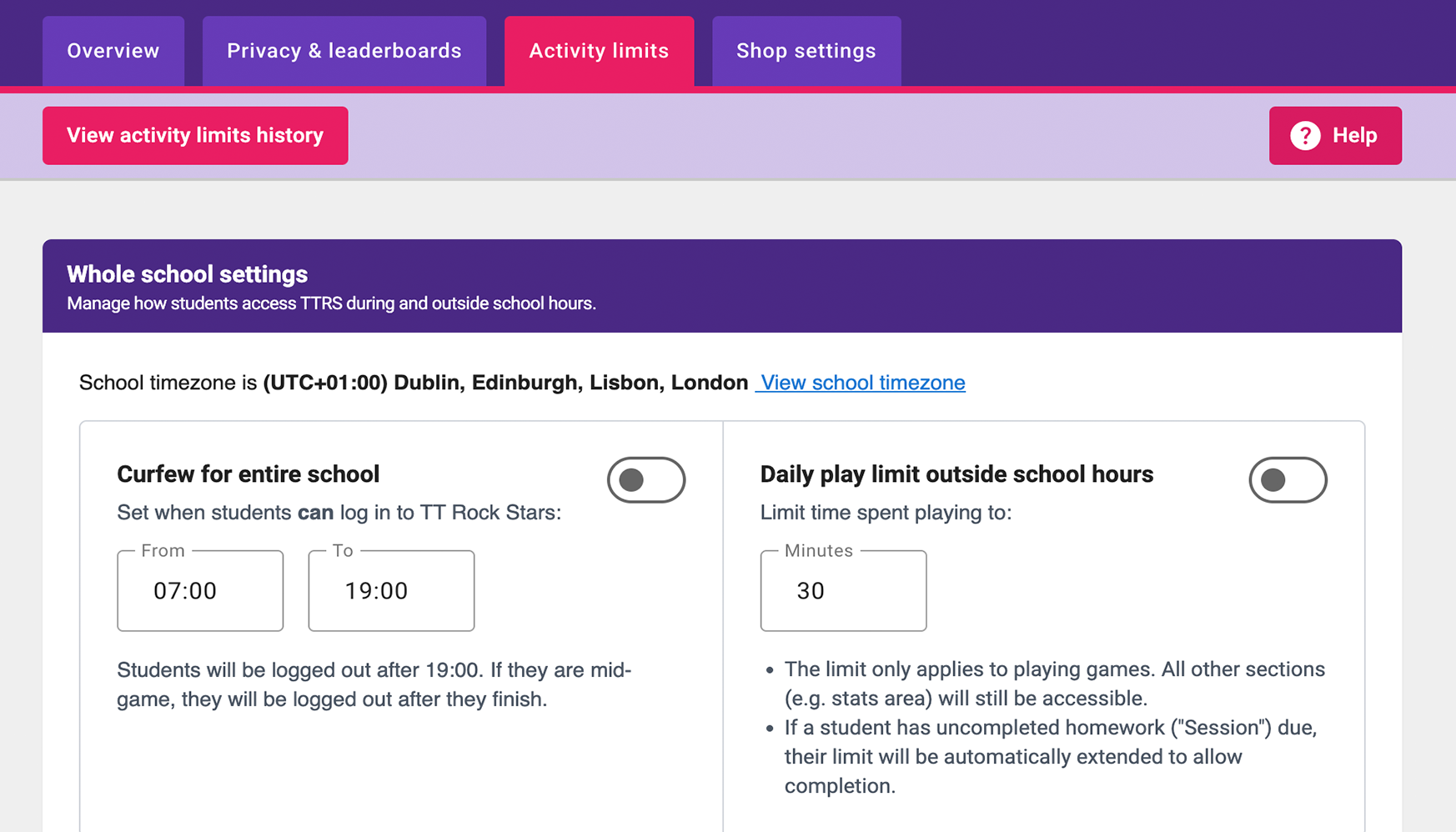
From 24 November 2026, all schools will have their settings updated to include an 8pm–7am curfew, a 20-minute daily out-of-school activity limit, and leaderboards switched off by default. Schools can change these settings at any time in the Digital Wellbeing Hub.
WHAT TEACHERS CAN CONTROL
ACTIVITY LIMITS
Teachers can set a daily play allowance and a curfew that fits their school's routine.
PRIVACY & ANONYMITY
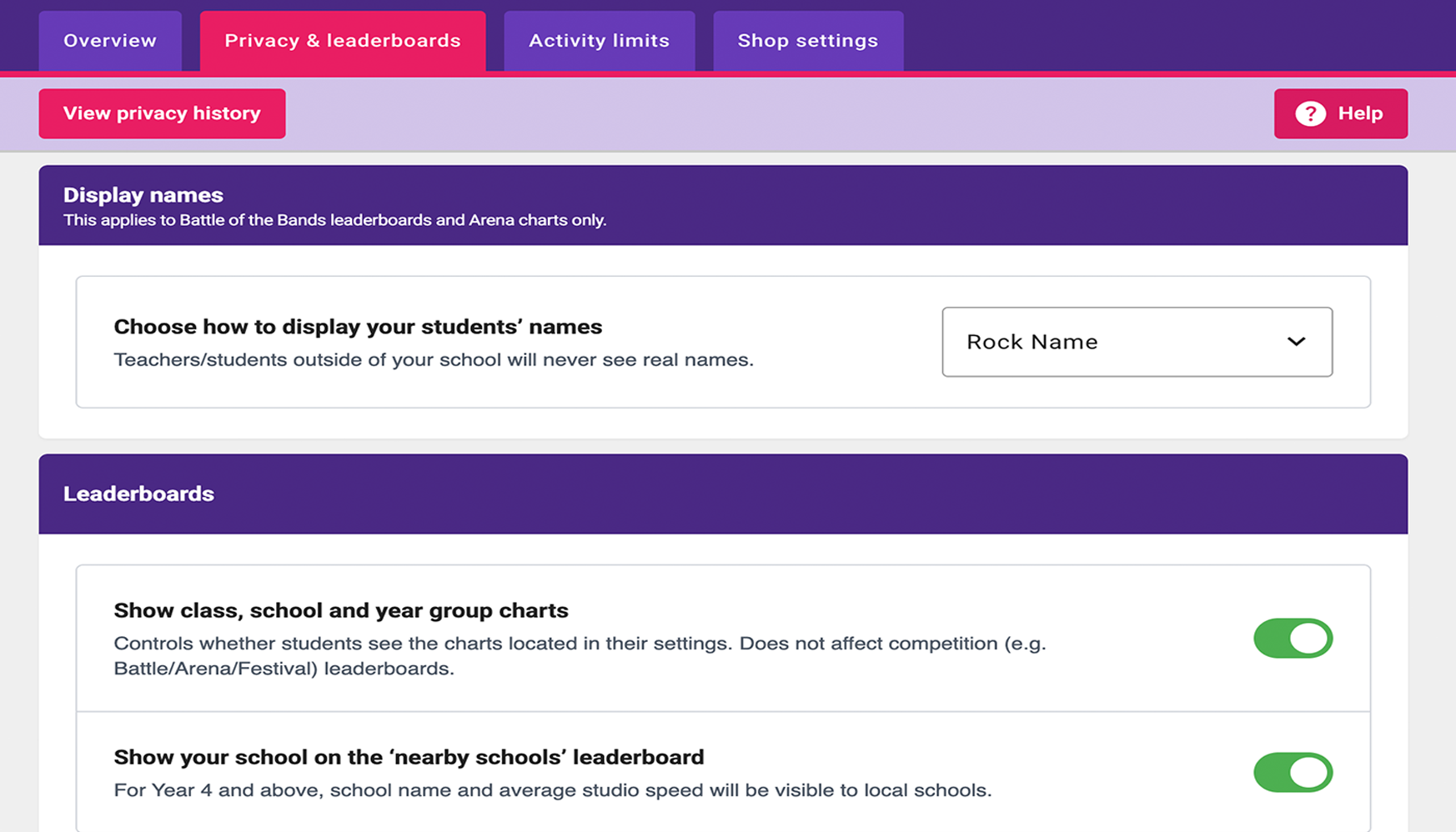
By default, students appear under a 'rock name' alias on leaderboards, so their real identity is never shown.
SHOP ACCESS
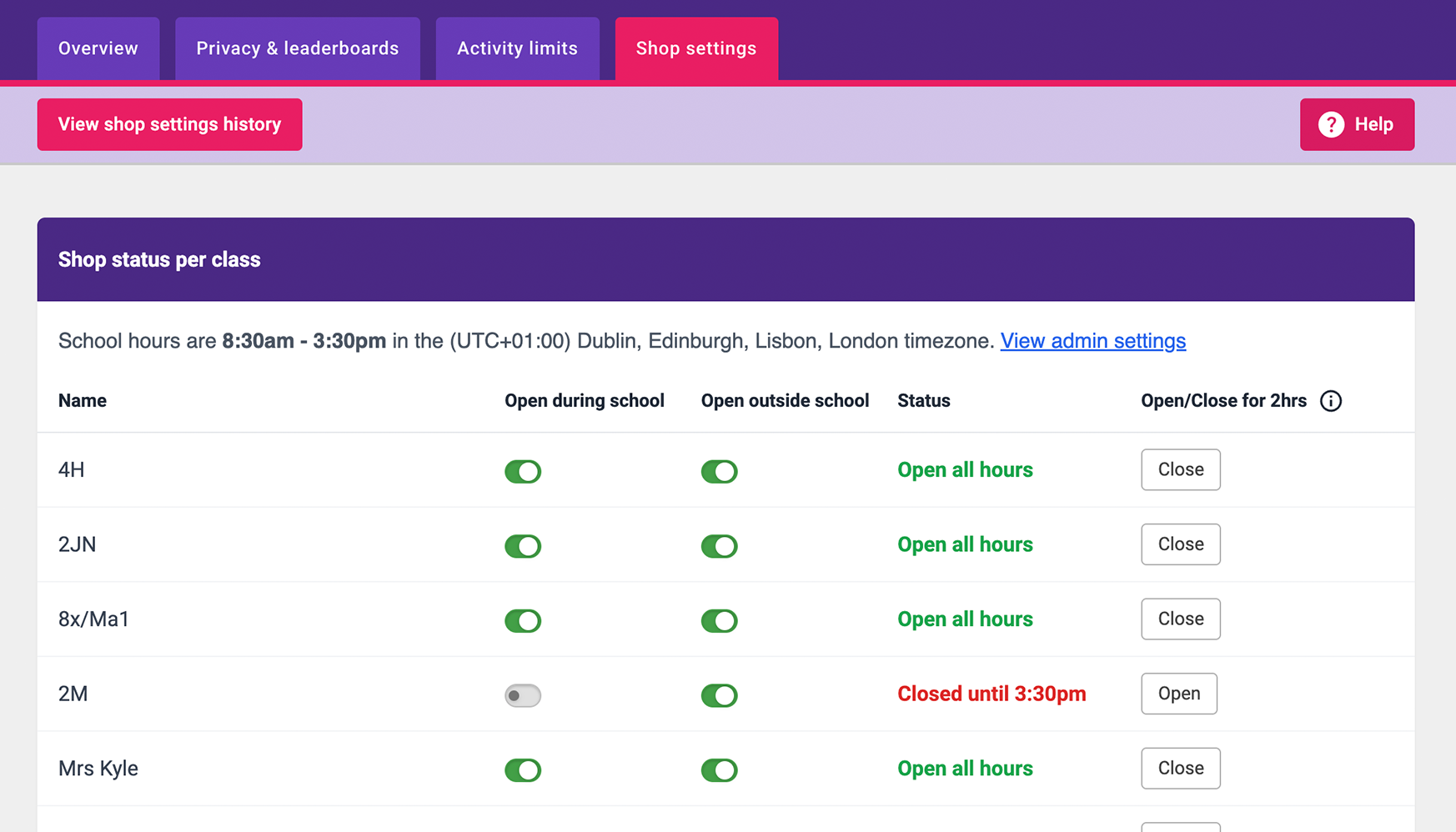
Teachers can close the in-game avatar shop during the school day, outside of school or both, to maximise time spent developing times tables skills.
COMPETITION SETTINGS
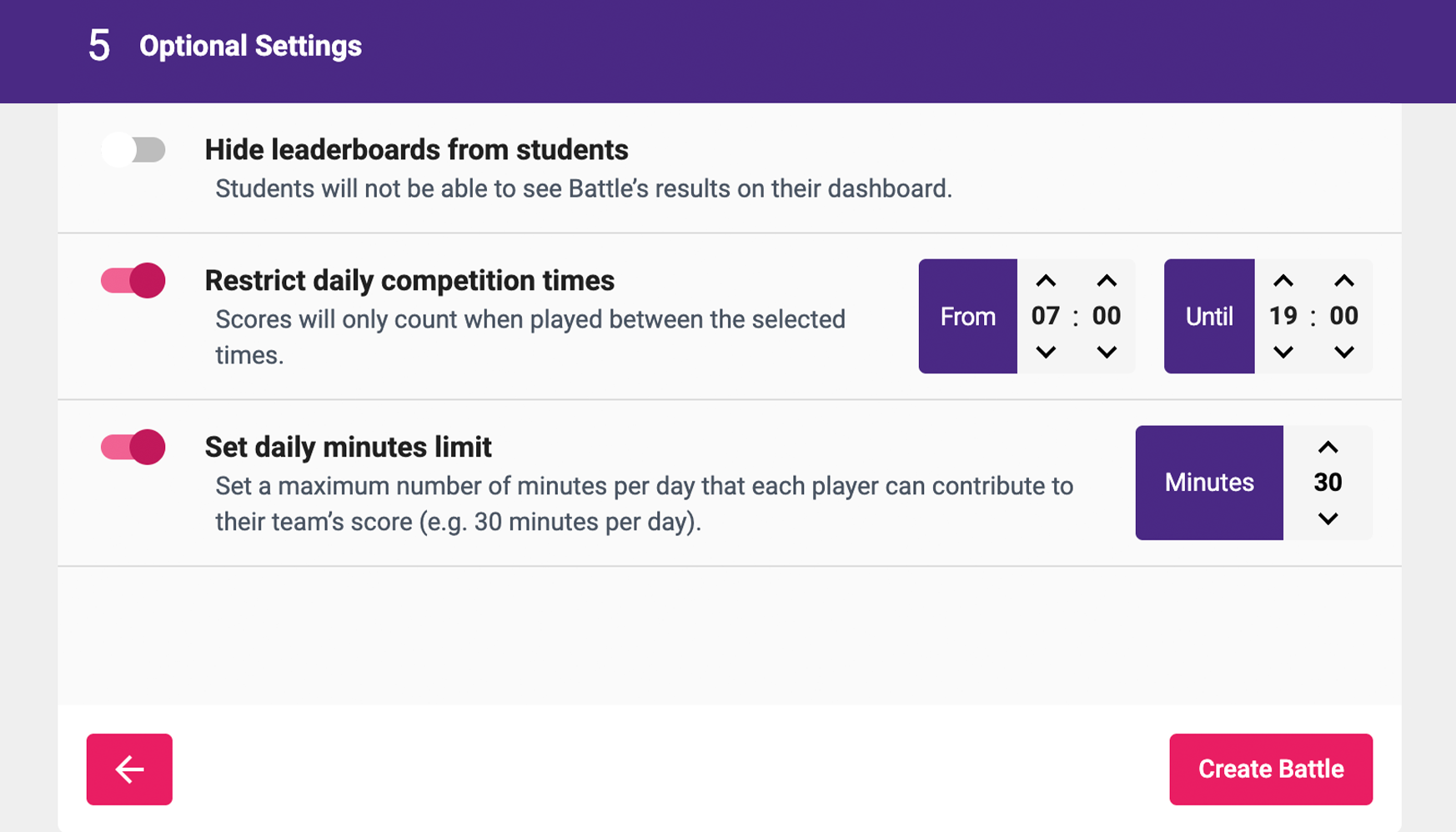
Teachers can set a daily number of minutes students can spend taking part in tournaments, and choose whether leaderboards are visible to students.
HOW DIGITAL WELLBEING IS EXPLAINED TO STUDENTS
We want students to understand that taking breaks is an important part of learning. Practice helps us improve, but we also need time to rest and let new information sink in. Students benefit more from practising little and often, rather than playing for long periods at a time.
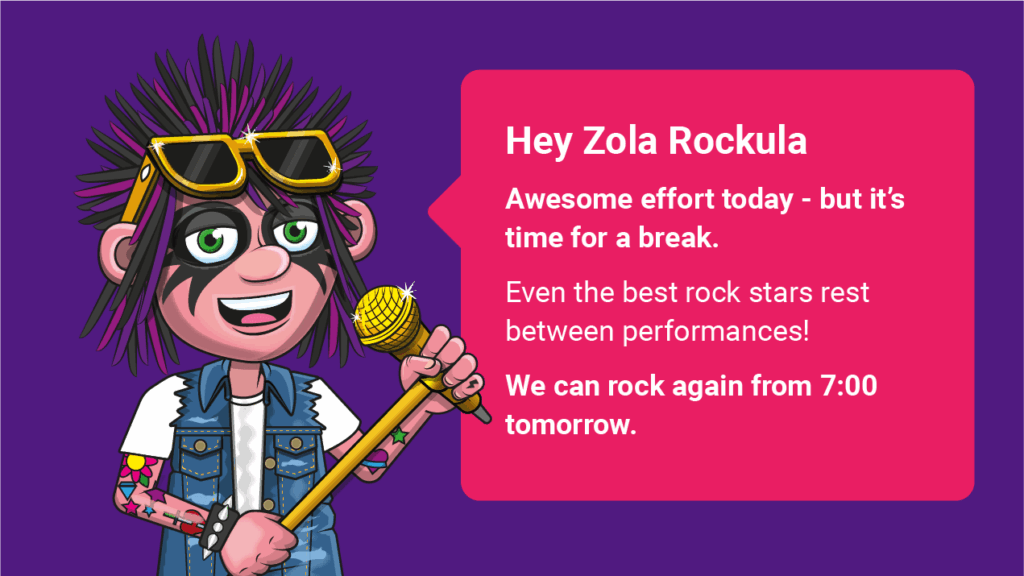
Our Digital Wellbeing features reinforce this message in a positive, age-appropriate way. For instance, when a student reaches their activity limit, a character pops up to praise their effort and let them know when they can play again.
FAQ
Some settings apply across the whole school; others can be set for individual classes.
The following settings are visible in the menu while logged in as a student:
Activity limits: Shows their curfew, daily play limit and how many minutes of their daily allowance they have used each day.
If a curfew is currently in effect, a message will appear on the login screen explaining that they cannot log in and showing the curfew times.
Shop settings: If the shop is closed, a message will explain that it is currently unavailable and show when it will reopen.

Get in touch at [email protected].